LocalPolish icon

← Projects · Chrome extension

LocalPolish

Fix and rewrite text in any text field, with the AI you already pay for.

Select text, press Cmd+Shift+K, and pick Fix, Rephrase or Shorter. The answer shows as a word diff, and Accept puts it back in the field. Chat and documents open in Chrome's side panel. It runs on Claude Code, Codex, Grok CLI or Antigravity through a local bridge, or on any OpenAI-compatible or Anthropic API. Free, open source, no analytics.

6providers: 4 CLIs on your subscription, 2 APIs
3rewrite modes: Fix, Rephrase and Shorter
3 spause before Fix while I type runs
0accounts, servers or analytics of its own

01 What it does

Rewrite

Select text and click the small button under it, or press Cmd+Shift+K (Ctrl+Shift+K off macOS). Fix, Rephrase or Shorter, with five tones for Rephrase. The answer streams in as a word diff. Accept, Copy or Retry, and the site's own Undo brings the old text back.
Fix while I type

Stop typing for 3 seconds in a message box and a Fix runs in the background. A small marker counts the fixes. Click it to see the diff, then accept or leave it. It skips search boxes, code editors and text under four words.

Chat in the side panel

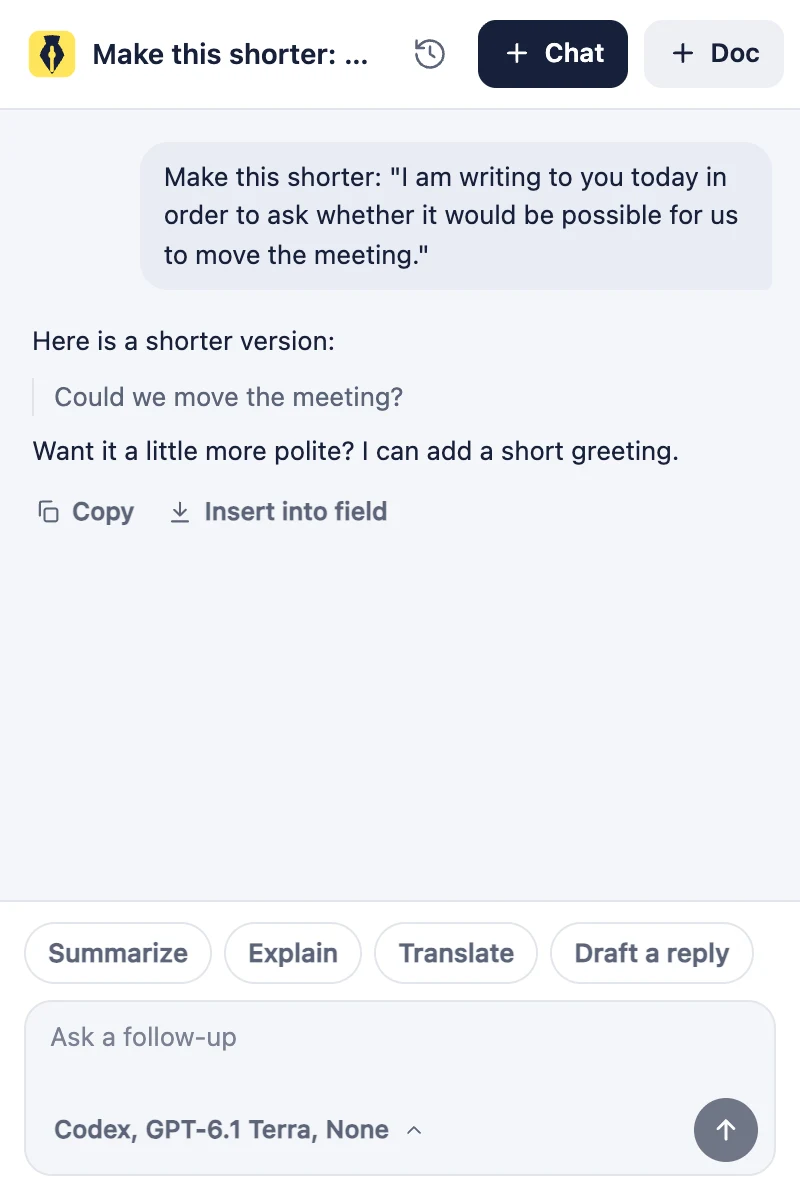
Select text on a page and click the sparkle, press Alt+Shift+L, or click New chat in the popup. Ask, or tap Summarize, Explain, Translate or Draft a reply. The answer streams in as Markdown. Copy it, or Insert into field to put it in the box you came from. Chats are kept in this browser for 30 days.

Documents

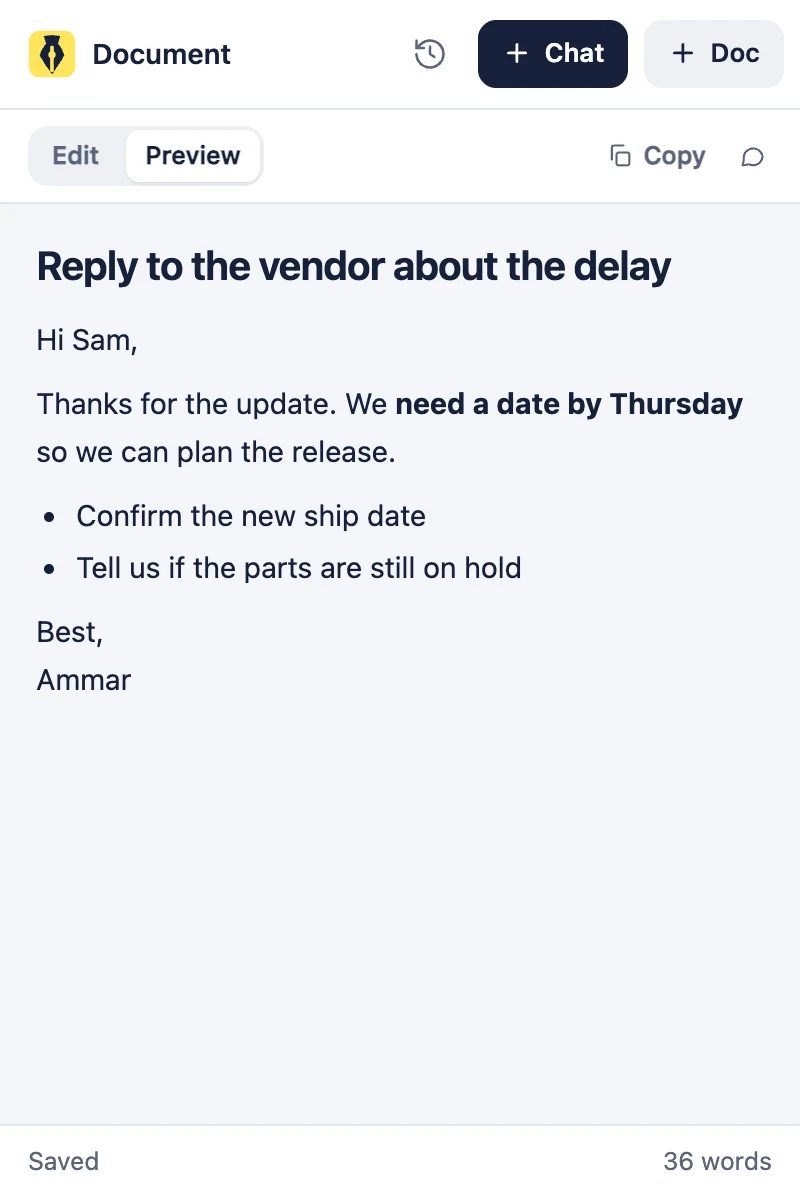
A drafting board next to chat. Write in Markdown, flip to Preview, and Fix the text while you type, the same as in a web field. It saves as you type and stays in this browser until you delete it. Copy it, Insert it into the page, or Ask in chat about it.

Your own AI

Claude Code, Codex, Grok CLI and Antigravity run on your computer through a native-messaging bridge, with their tools turned off. Or use any OpenAI-compatible server (OpenAI, xAI, OpenRouter, LM Studio, Ollama) or the Anthropic API. Chat has its own provider and model.

Per-site controls

Turn the button and Fix while I type off on any site in one click. Subdomains are included, and the shortcut still works there. Fix while I type can skip languages: English, Arabic, Franco-Arabic or Other. A warning lists any link, @mention, #hashtag, code or emoji a rewrite dropped.

02 Screenshots

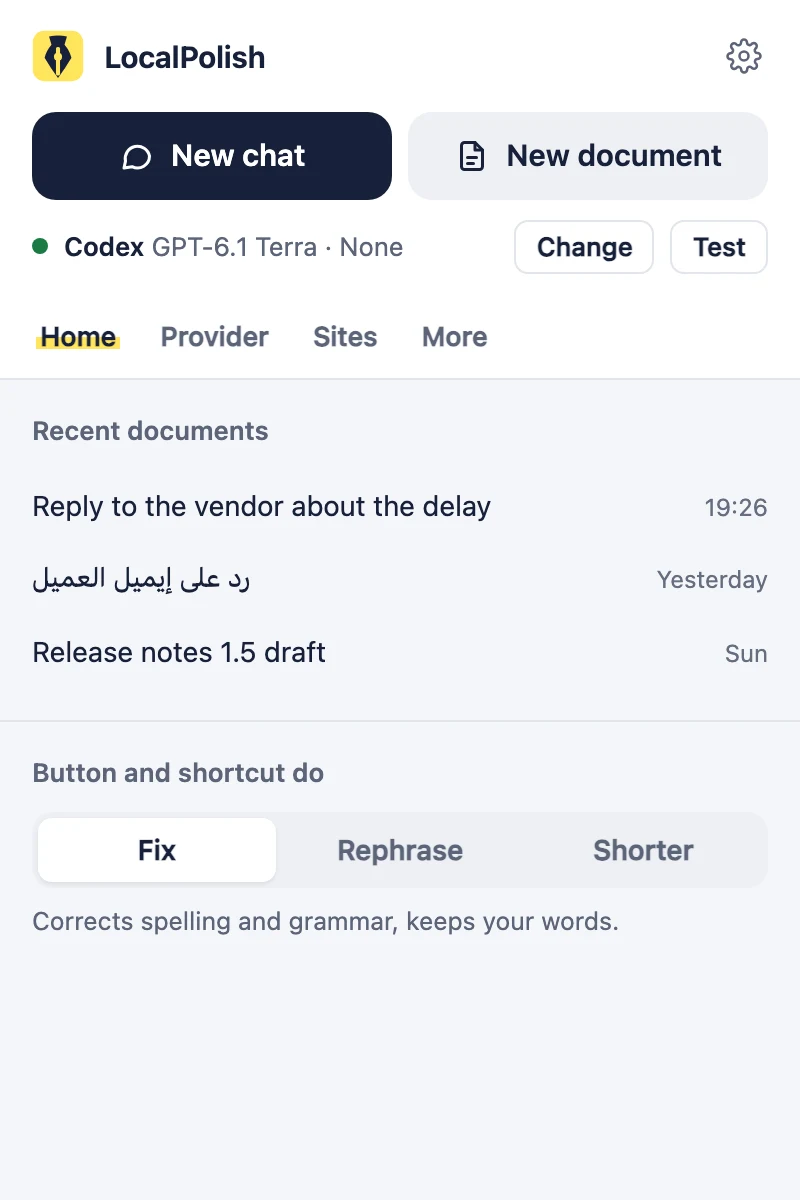
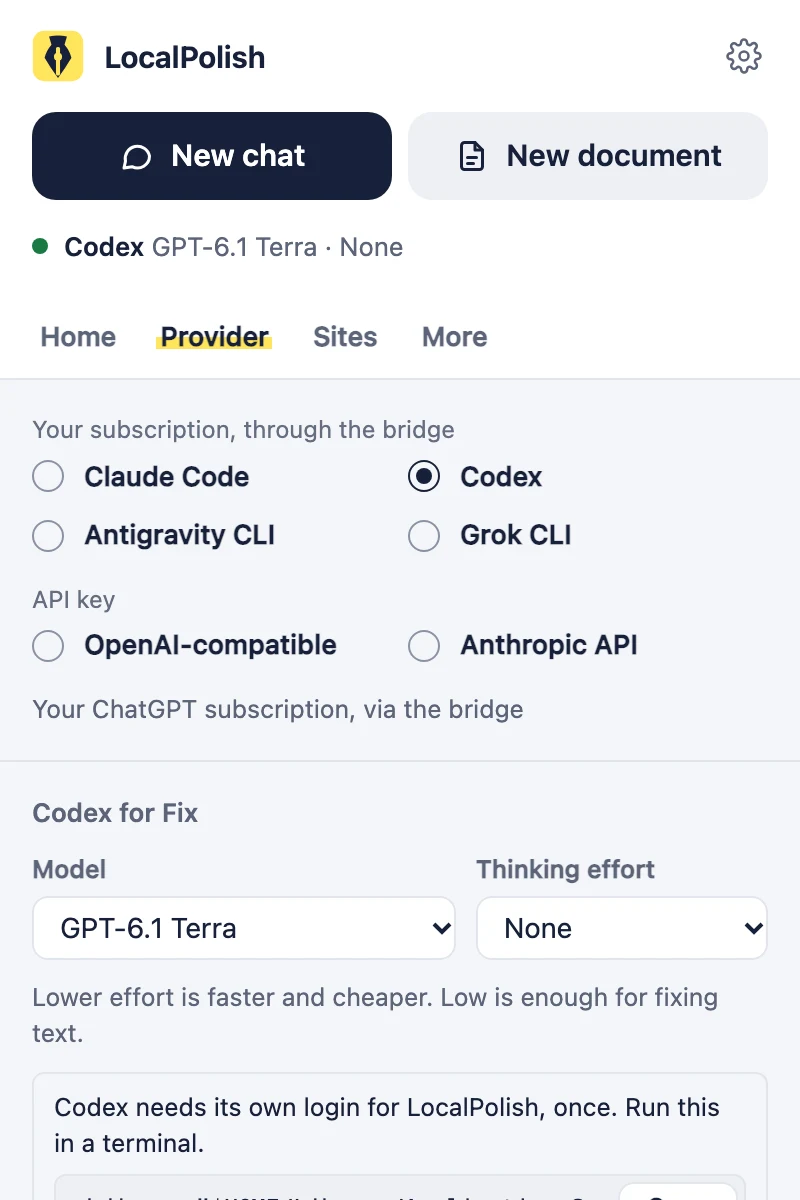
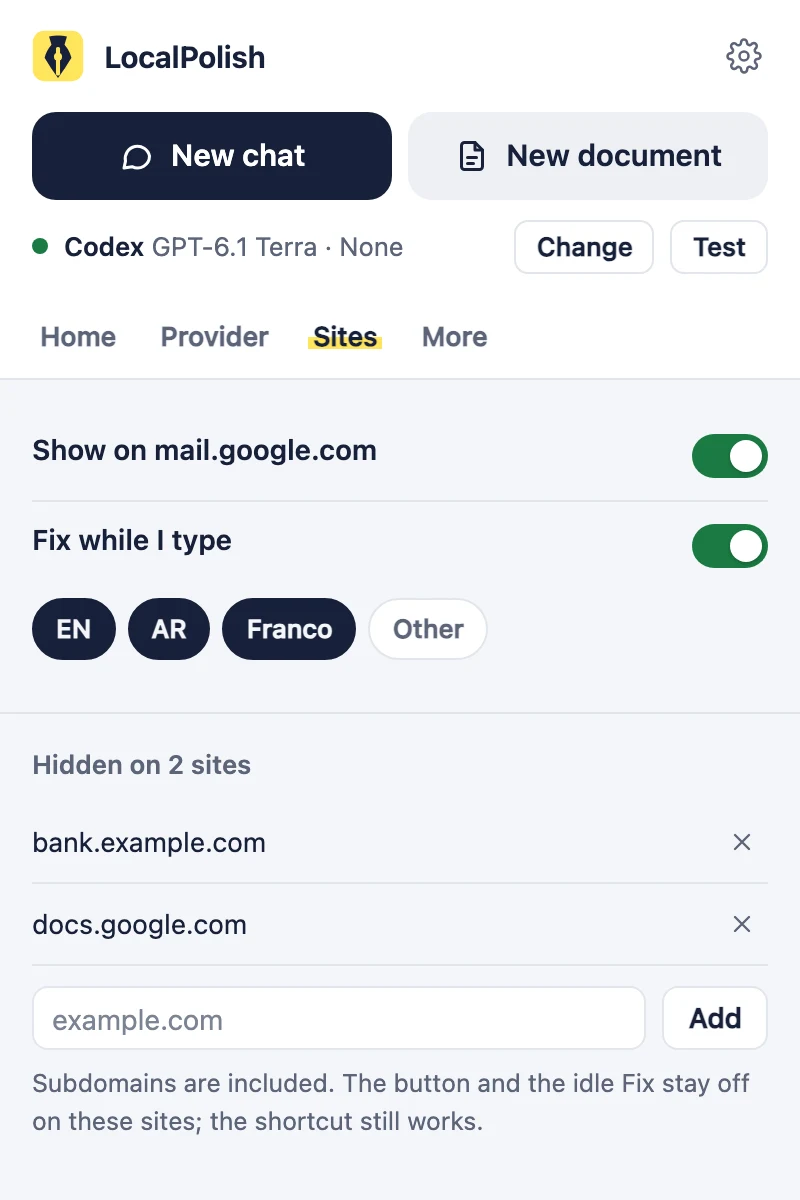
The side panel holds chat and documents. The toolbar popup starts them, and holds every setting in Home, Provider, Sites and More tabs. Hold the pointer on a label for 2 seconds to see what it does.

Side-panel chat: a shortened sentence with Copy and Insert into field, quick asks, and a message box with a provider chip
A document in Preview: a short reply with a bold line and a bullet list, saved, 36 words
Popup Home tab: New chat and New document, the provider in use, recent documents and the default mode
Popup Provider tab: four CLI providers on your subscription, two API providers, and model and thinking pickers
Popup Sites tab: Fix while I type, its languages, and the sites where LocalPolish stays hidden
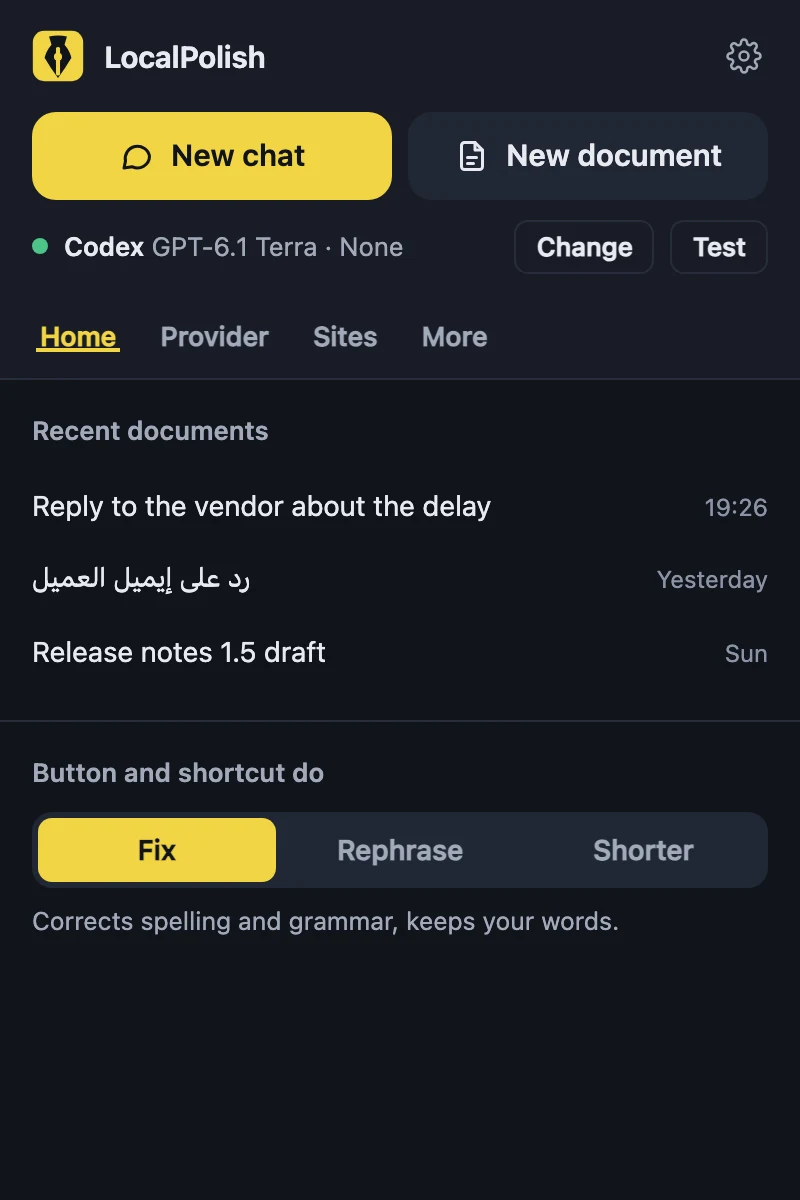
Popup Home tab in dark mode

03 Private by design

TypeScriptPreactWXTManifest V3MIT

04 Get it

Not on the Chrome Web Store yet. Install it from the release:

  1. Download localpolish-1.5.0.zip from the 1.5.0 release and extract it.
  2. Open chrome://extensions, turn on Developer mode, click Load unpacked, and pick the extracted folder.
  3. For Claude Code, Codex, Grok CLI or Antigravity, clone the repo and run npm run bridge:install. An API provider needs only a key, or a local server.

You need macOS or Windows and Google Chrome. The CLI providers also need Node.js 22 or newer and a logged-in CLI. The README has the full steps.

MIT licence. LocalPolish is not affiliated with, endorsed by or sponsored by Anthropic, OpenAI or xAI. Claude, Codex and Grok are their owners' trademarks.